
Embed Template Editor Page
The embedded template editor integrates Badge's template editing interface directly into your application, giving you complete control over the surrounding UI and navigation.
This allows you to seamlessly incorporate template editing into your existing pages and layouts, with granular control over which editing features are available to your users.
Usage
<div id="badge-template-editor" style="height:100%">Loading...</div>import * as badge from '@badge-sdk/web';
const badgeSdk = badge.makeSdk({token: user.badgeSdkToken});
const element = window.document.getElementById("badge-template-editor");
badge.embedTemplateEditorPage(badgeSdk, element, {
templateId: templateId,
features: {
expiry: true,
...badge.TEMPLATE_EDITOR_FEATURES_ENABLE_BARCODE,
},
});import * as badge from '@badge-sdk/web';
const badgeSdk = badge.makeSdk({token: user.badgeSdkToken});
const element = window.document.getElementById("badge-template-editor");
badge.embedTemplateEditorPage(badgeSdk, element, {
templateId: templateId,
features: {
...badge.TEMPLATE_EDITOR_FEATURES_ALL,
coverImage: false,
},
});import * as badge from '@badge-sdk/web';
const badgeSdk = badge.makeSdk({token: user.badgeSdkToken});
const element = window.document.getElementById("badge-template-editor");
// default feature set will be enabled
badge.embedTemplateEditorPage(badgeSdk, element, {
templateId: templateId,
});You can test and experiment with different settings using the SDK Playground.
Permissions
Ensure you select the correct permissions when creating an SDK Token.
template:write, workspace:read, and user:read are required to use template editor functionality.
Features
Control which sections of the template editor are available to your users. The features parameter gives you granular control over the editing experience.
Default Behavior
When features is omitted, a curated set of default features will be used, giving users access to the most commonly used template editing capabilities.
When features is provided with at least one property set, all other features will be disabled unless explicitly enabled.
Available Features
| Feature | Default |
|---|---|
logo | ✅ |
icon | ✅ |
heading | ✅ |
colors | ✅ |
coverImage | ✅ |
headerField | ✅ |
secondaryFields | ✅ |
barcodeType | ❌ |
barcodeData | ❌ |
barcodeText | ❌ |
description | ❌ |
backFields | ✅ |
locationMessages | ✅ |
appLinks | ✅ |
expiry | ❌ |
Helper Constants
For convenience, the SDK provides pre-configured feature objects:
| name | description |
|---|---|
TEMPLATE_EDITOR_FEATURES_DEFAULT | Default feature set |
TEMPLATE_EDITOR_FEATURES_ALL | Enable all available features |
TEMPLATE_EDITOR_FEATURES_NONE | Disable all features |
TEMPLATE_EDITOR_FEATURES_ENABLE_BARCODE | Partial helper to enable all barcode-related features |
Appearance
Customize the editor's appearance to match your application's design system. Refer to Styling the Embed for details on custom fonts and brand colors.
Examples
Custom Navigation
The embedded template editor gives you complete control over the surrounding UI. You can add your own navigation elements like breadcrumbs, headers, or action buttons to provide context and integrate the editor seamlessly into your application's existing layout and workflows.
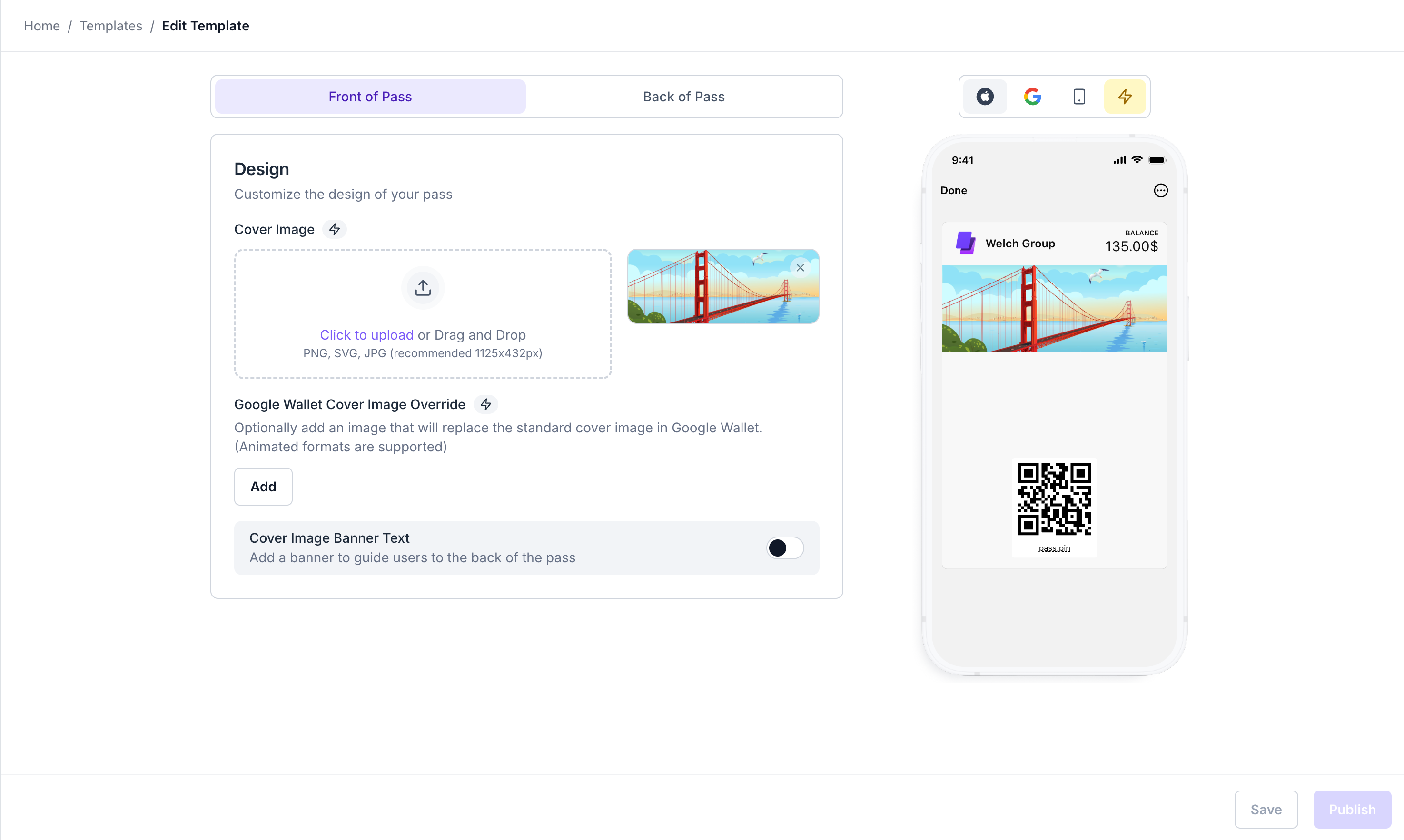
Custom breadcrumbs navigation
Updated 9 months ago